
Single-Mode vs Multi-Mode Fiber: How to Choose the Right Optical Cable for Your Network
When designing enterprise cabling infrastructure, one of the most consequential decisions you'll make is choosing between Single-Mode Fiber (SMF) and Multi-Mode Fiber (MMF). Get it right, and your cabling plant serves you for 15–20 years. Get it wrong, and you're facing expensive rip-and-replace projects far sooner than planned.
This guide — drawn from the Layerix University Masterclass by Swaminathan R, Founder and CTO of Layerix Networking Experts — gives you the complete picture: the physics, the standards, the cost dynamics, and the decision framework.
Single-Mode vs Multi-Mode Fiber — The Complete Masterclass
Watch the full Layerix University masterclass explaining SMF vs MMF with real-world examples, cost calculations, and deployment best practices for enterprise networks.
First: The Three Mediums of Network Communication
Every network signal travels through one of three physical mediums. Understanding where optical fiber fits within the broader picture clarifies when and why you need it.
Electrical
Copper cables (Cat6, Cat7) carry signals as electrical current. Reliable, cost-effective — but limited to under 100 metres.
Floor distribution, desktop runsWireless
Radio waves through air. Flexible and cable-free — but subject to interference, shared spectrum, and physical barriers.
Client connectivity, mobilityOptical
Light pulses through glass fiber. Immune to EMI, carries enormous bandwidth over distances beyond 100 metres.
Backbone, inter-building, WANNote for planners: Cat5 and Cat5e copper are effectively obsolete for new enterprise deployments. Any run beyond 100 metres, or any backbone segment, should use optical fiber — the only question is which type.
Deep Dive: Single-Mode vs. Multi-Mode Fiber
Optical fiber comes in two fundamental architectures. The physics of each determines their performance envelope — and their cost profile.
Single-Mode Fiber (SMF) — Built for Distance
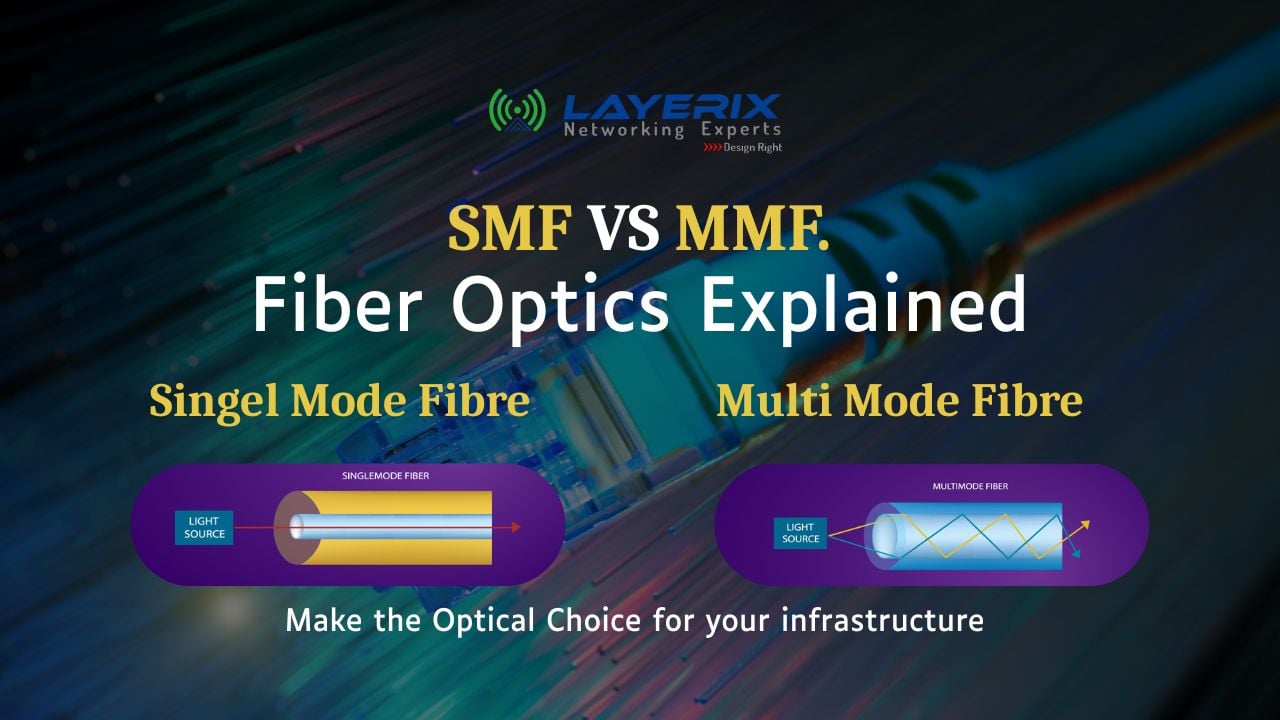
Single-mode fiber has an extremely narrow core — typically 9 microns in diameter. Because the core is so small, only one optical signal can travel through it at a time, in a single straight path. This eliminates modal dispersion and allows the signal to travel enormous distances without degradation.
How the Signal Travels
A 100-gigabit (100G) signal is transmitted as one single, continuous optical signal over the entire run. At 1km, 10km, or even 40km — the signal arrives intact, driven by a powerful and precise laser light source.
Standards
Older standard. No longer deployed in new installations.
Current standard. Used for all modern long-distance runs — campus backbone, inter-building links, WAN handoffs.
✓ Advantages
- • Cable itself is very inexpensive per metre
- • Extreme distance capability (1km → 40km+)
- • No signal dispersion over distance
- • Future-proof for higher speeds
✗ Considerations
- • Transceivers (optics) are expensive
- • Requires precision laser-based optics
- • Harder to splice/terminate in the field
- • Overkill for short data centre runs
Multi-Mode Fiber (MMF) — Built for Short-Range Density
Multi-mode fiber has a much larger core — typically 50 microns. This larger pathway allows multiple light signals to travel simultaneously, bouncing through the fiber at slightly different angles (modes). This is excellent for short distances but causes modal dispersion over longer runs, limiting its range.
How the Signal Travels
A 100G signal is broken into four discrete 25G signals using an SR4 (Short Range 4-lane) standard. These four signals are multiplexed, transmitted simultaneously through the fiber, then demultiplexed at the destination to reconstruct the full 100G. This parallel transmission is what makes cheaper LED-based optics viable.
Standards — What to Deploy Today
Obsolete. Not deployed in new installations.
Obsolete. Not deployed in new installations.
Supports up to ~300 metres. Suitable for most intra-building backbone runs and campus connections within a single building.
Supports up to ~550 metres. The preferred standard for data centres and high-density campus backbones. Recommended for all new MMF deployments.
Newer standard supporting wideband multimode. Niche application — not commonly deployed in standard enterprise environments.
✓ Advantages
- • Optics (transceivers) are much cheaper
- • Easier to terminate and splice
- • Ideal for high port-count data centres
- • Works well with LED-based light sources
✗ Considerations
- • Cable itself is significantly more expensive
- • Limited to 300–550 metres maximum
- • Modal dispersion limits long-distance use
- • OM1/OM2 already obsolete — plan for OM4
The Real Decision: It's a Cost Calculation
Neither SMF nor MMF is technically superior. The right choice is determined by balancing two cost variables against your distance requirements.
| Cost Factor | Single-Mode (SMF) | Multi-Mode (MMF) |
|---|---|---|
| Cable cost per metre | Low ✓ | High ✗ |
| Transceiver (optics) cost | High ✗ | Low ✓ |
| Maximum distance | 1km → 40km+ | Up to 550m (OM4) |
| Ideal environment | Campus backbone, WAN, inter-building | Data centre, intra-building backbone |
| Active standard | OS2 | OM3, OM4 |
The practical rule: For long campus runs (100m+), SMF saves you money on cable even though optics cost more. For short data centre runs with many ports, MMF saves you significantly on transceivers even though the cable costs more. Calculate total cost per link — not just cable cost.
3 Mistakes to Avoid When Specifying Fiber
1. Installing OM1 or OM2 in new builds
These standards are completely obsolete. Modern transceivers at 10G, 25G, and 100G are not optimised for OM1/OM2 — you'll face distance and performance limitations immediately. Specify OM4 as your minimum for any new MMF installation.
2. Choosing fiber type without calculating total link cost
Many teams choose MMF because "the cable is familiar" without accounting for transceiver costs across 48 or 96 ports. At scale, the optics cost can far exceed the cable savings. Always model total cost per link before committing.
3. Mixing SMF and MMF transceivers
SMF optics will not work on MMF cable and vice versa. Mixing fiber types in a campus without proper labelling and documentation leads to mismatched connections, link failures, and costly troubleshooting. Standardise and document every run.
Quick Decision Guide for Network Planners
Inter-building campus links (100m – 40km)
Use SMF (OS2). Cable is cheap; distance is the priority.
Data centre top-of-rack to spine/leaf (<100m)
Use MMF (OM4). High port density makes cheap optics the priority.
Intra-building backbone (100m – 550m, single building)
Either works — calculate total link cost (cable + optics) for your port count and choose accordingly.
Unsure of future expansion?
Prefer SMF (OS2) for backbone runs. Distance flexibility future-proofs your investment if the campus grows.
Real-World Application
Layerix recently designed a hybrid cabling plant for a large enterprise campus in Bengaluru — SMF OS2 for the inter-building backbone across 7 buildings, OM4 MMF within the data centre. The result: 40% savings on transceiver costs compared to an all-SMF design, without compromising any performance metric.
View Customer Wins →The Right Fiber Is the One That Fits Your Topology
Single-mode and multi-mode fiber are tools, not competitors. The physics of each makes them the right choice for different parts of your network — and the economics make that choice even clearer when you model it at scale.
Standardise on OS2 for anything that spans buildings or city blocks. Standardise on OM4 for anything inside a data centre or short campus run. And avoid every obsolete standard — OM1, OM2, OS1 — in any new specification. Your cabling plant will outlast your active hardware by a decade; get the passive infrastructure right from day one.
Planning a Fiber Cabling Project?
Layerix designs and deploys structured cabling infrastructure for enterprise campuses and data centres — copper, SMF, and MMF — with full end-to-end accountability and no third-party outsourcing.
R Swaminathan
Founder & CTO, Layerix Networking Experts. 24+ years in enterprise networking. JNCIE-SP certified. Former Network Architect for Facebook, Google, AWS, AT&T, and leading Indian banks.
Ready to optimize your network?
Contact Layerix Networks for expert IT infrastructure and networking solutions.