
How to Choose the Right WiFi Deployment Model for Your Enterprise
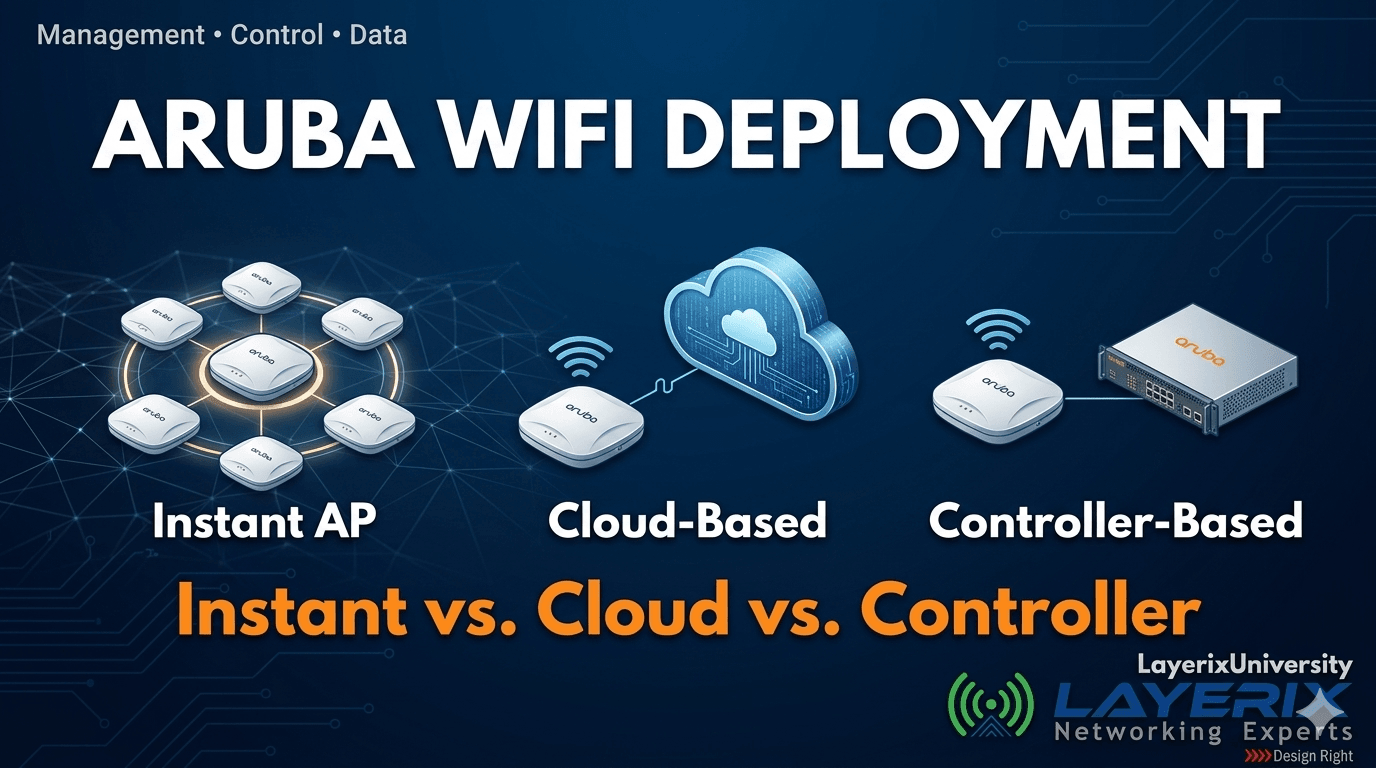
In enterprise networking, "one size fits all" is a myth. Choosing the wrong WiFi deployment model doesn't just hurt performance — it creates management headaches, scalability gaps, and expensive reworks down the line. For IT managers evaluating Aruba solutions, understanding the three deployment models — and the architecture behind them — is the starting point for every sound decision.
This guide distills the core framework from the Layerix University Masterclass led by Swaminathan R, Founder and CTO of Layerix Networking Experts, giving you a structured, decision-ready breakdown of Aruba's architecture.
The Foundation: Three Planes That Govern Every WiFi Network
Before selecting a deployment model, you must understand the three functional layers that govern any enterprise WiFi network. Every architectural decision flows from which plane lives where.
1. Management Plane
This is where configuration happens. Setting up SSIDs, pre-shared keys (PSKs), viewing dashboards, and monitoring client connection status — all of this lives in the management plane. Think of it as the "command centre" for your network team.
2. Control Plane
This governs the intelligence of the network. Radio Resource Monitoring (RRM), roaming decisions, client load balancing between access points, channel assignment (1, 6, 11), and transmit power management all reside here. A well-managed control plane prevents the dreaded "sticky client" problem where devices refuse to roam to a closer AP.
3. Data Plane
This is the actual user traffic. When an employee opens a browser, joins a video call, or accesses a cloud application — that data flows through the data plane. Where this plane terminates (locally at the AP, at a controller, or in the cloud) fundamentally changes your architecture.
💡 Key Insight for IT Managers: The primary question isn't "which brand?" — it's "where do I want my management, control, and data planes to live?" The answer to that question determines your deployment model.
The Three Aruba Deployment Models — Explained
Instant AP (IAP) — The Controller-less Model
In an Instant AP deployment, multiple access points cluster together and self-organise. One AP is automatically elected as the Virtual Conductor (formerly called the "Master"). This elected AP takes on the management and control plane for the entire cluster — while all APs handle data locally.
How Traffic Flows
- →The Virtual Conductor handles Management + Control for the whole cluster.
- →The Data Plane is local to each AP — user traffic goes directly to the switch and internet, never passing through the Virtual Conductor.
- →If the Virtual Conductor AP fails, another AP in the cluster is automatically elected.
✓ Best For
Retail branches, SMB offices, distributed sites with limited IT staff. Fast to deploy, no separate controller hardware needed.
✗ Limitations
Not supported on AOS 10. Less suitable for large-scale campuses requiring centralised policy enforcement.
Cloud-Managed (Aruba Central) — The Modern Enterprise Model
This model moves the "brain" of the network to the cloud. All access points connect to Aruba Central — Aruba's cloud management platform — via the internet. Configuration, RRM, roaming intelligence, and visibility are all handled from a unified cloud dashboard.
How Traffic Flows
- →Management + Control live in Aruba Central (cloud).
- →The Data Plane remains local — your business data does NOT travel to the cloud. It goes from the AP directly to your local switch and internet gateway.
- →This is the only model supported by AOS 10 — Aruba's latest and most advanced operating system.
✓ Best For
Multi-site enterprises, organisations scaling across cities or states, IT teams needing single-pane-of-glass visibility with AI-powered analytics and zero-touch provisioning.
⚠ Consider
Requires reliable internet for cloud management functions. Subscription licensing for Aruba Central must be factored into the TCO calculation.
On-Premises Controller-Based — The High-Density Campus Model
The traditional enterprise campus model. Access points connect to PoE switches, which feed into a physical or virtual on-site Aruba controller (Mobility Controller). All AP traffic is tunnelled to the controller using GRE (Generic Routing Encapsulation).
How Traffic Flows
- →APs encapsulate all traffic in GRE tunnels and send it to the controller.
- →The controller acts as the Layer 2/3 gateway — it strips the outer IP header and routes data to your firewall or core switch.
- →Management, Control, and Data Plane are all centralised at the on-prem controller.
✓ Best For
Large campuses, stadiums, hospitals, manufacturing plants, and environments requiring deep policy enforcement, advanced RF management, and centralised traffic control.
✗ Limitations
Controller is a single point of failure (mitigated by HA pairing). Higher upfront hardware cost. More complex to manage across distributed sites.
Critical Architecture Note: AOS 8 vs. AOS 10
This is one of the most overlooked considerations in Aruba planning — and one of the most consequential. The operating system you choose locks you into a specific set of deployment options.
AOS 8
- ✓Supports Instant AP (IAP) clusters
- ✓Supports Cloud-Managed (Aruba Central)
- ✓Supports On-Prem Controller-Based
- →All three models available
AOS 10 (Latest)
- ✗Does NOT support standalone IAP clusters
- ✓Supports Cloud-Managed only
- →Designed exclusively for cloud-first architectures
- →Recommended for new enterprise deployments
⚠ IT Manager Alert: If you're planning a new Aruba deployment and considering AOS 10, the Instant AP standalone model is not an option. Factor this into your architecture decision — and your Aruba Central licensing budget — before procurement.
Which Model Is Right for You? A Decision Framework
Use these three dimensions to guide your selection:
Scale & Site Count
1–3 sites, <50 APs: Instant AP is efficient and cost-effective.4–20 sites: Cloud-Managed with Aruba Central gives you unified visibility without per-site controllers.Single large campus with 100+ APs: Controller-based offers the deepest RF control and policy enforcement.
IT Team Capacity
Minimal IT staff benefits from the simplicity of IAP or the automated intelligence of Aruba Central. Large, dedicated network teams can leverage the advanced tuning capabilities of controller-based deployments.
Data Sensitivity & Compliance
All three models keep user data local (data plane never leaves your premises). For environments with strict data governance (healthcare, BFSI), on-prem controller-based provides the most control. Cloud-managed is acceptable for most enterprise environments given that only management traffic traverses the cloud.
At a Glance: Model Comparison
| Dimension | Instant AP | Cloud-Managed | Controller-Based |
|---|---|---|---|
| Management Plane | Virtual Conductor (on AP) | Aruba Central (cloud) | On-prem controller |
| Control Plane | Virtual Conductor (on AP) | Aruba Central (cloud) | On-prem controller |
| Data Plane | Local (per AP) | Local (per AP) | Centralised (controller) |
| AOS 10 Support | ✗ No | ✓ Yes | AOS 8 only |
| Ideal Scale | Branch / SMB | Multi-site enterprise | Large campus |
| Complexity | Low | Low–Medium | Medium–High |
3 Common Mistakes IT Managers Make When Choosing a Model
1. Choosing hardware before choosing architecture
Procurement teams often buy APs first, then figure out the management model. This leads to mismatched licensing, incorrect PoE budgets, and controller hardware that doesn't fit the deployment. Always define your planes first.
2. Assuming IAP works on AOS 10
This is a surprisingly common oversight. If your hardware ships with AOS 10, standalone Instant AP clusters are not supported. You must onboard to Aruba Central. Not knowing this mid-project causes costly delays.
3. Skipping the RF heatmap survey
The deployment model decision is only half the job. Regardless of which model you choose, AP placement without a professional RF survey leads to dead zones, co-channel interference, and sticky-client issues that no amount of controller tuning can fix.
See It in Practice
Layerix deployed a 120-AP WiFi 6 network across 4 floors for a large enterprise office in Bengaluru — zero dead zones, 98% roaming success rate, completed in 6 days without disrupting business operations.
View Customer Wins →Design Right. Deploy Once.
Aruba's three deployment models aren't competing — they're complementary tools for different contexts. The Instant AP model gives you speed and simplicity for branches. Cloud-Managed with Aruba Central gives you global visibility and AI-driven intelligence for modern enterprises. Controller-based gives you the deepest control for high-density, high-stakes environments.
The right answer depends on your scale, your team, and your growth trajectory. What's universal is this: the architecture decision must come before the hardware order. Design right, and your network becomes an asset. Design wrong, and it becomes a recurring problem.
Not Sure Which Model Fits Your Environment?
Layerix's team of certified Aruba engineers will assess your site, workload, and scale — and recommend the right architecture before a single AP is purchased.
R Swaminathan
Founder & CTO, Layerix Networking Experts. 24+ years in enterprise networking. JNCIE-SP certified. Former Network Architect for Facebook, Google, AWS, AT&T, and leading Indian banks.
Ready to optimize your network?
Contact Layerix Networks for expert IT infrastructure and networking solutions.